
A request I get more and more often: “We’d like an AI agent.” Not “we have a problem with orders,” not “we’re drowning in emails.” Straight to an AI agent. Ask what that agent is actually supposed to do, and the answer comes back as “so it runs itself” or “whatever Janie does today, just without Janie.” I get it. Social media feeds are full of people racing to show off what their AI agent watches, handles, and sorts today. The trouble is, that’s like ordering a car without knowing where you’re driving it, or whether you’re driving anywhere at all.
The client asking for it usually has no idea what would actually suit their situation, so they order a magic AI agent that does everything for them, and does so long before they’ve even written a spec or described the task. And the vendor? They rarely have a reason to correct the client’s mistake, because an AI agent bills better than a “plain old” script.
Let’s take a concrete example to walk through this. A company gets orders into a shared inbox, and Janie usually retypes or copies them into the system by hand. It’s exactly the kind of task that looks, in a vendor demo, like a textbook job for an agent. And it always works in the demo, because the demo runs on a carefully swept path: a clean email, an existing customer, items that are already in the catalog.
But dig into that task for a bit and you’ll find it isn’t one job, it’s three different problems. Most emails are orders from regular customers in a stable format, say from a form or a webshop. There, autonomous decision-making only hurts, because the one thing it can add is variability you don’t want. A fixed, code-based procedure that never improvises and hands anything doubtful to a person is all you need.
A smaller share are orders written by humans: worded differently every time, in a different order, in a different format, but still an order, and you still want to do the same thing with it. That’s where AI helps, but only as one step inside an otherwise fixed procedure. And the rest are emails where what actually needs to happen only becomes clear along the way: “cancel the last item on last week’s order and send what we ordered back in May.” That’s where a system that chooses its own next step comes in. One request, three different architectures.
And then there’s one more option, which isn’t competing with those three because it answers a different question: you don’t have to run AI on every single execution. It can help just once, at the start — work out the email format, write a parser, come up with the rules — and the system then runs deterministically without it. I’ll come back to that once we’ve covered the three architectures.
Script, workflow, and agent
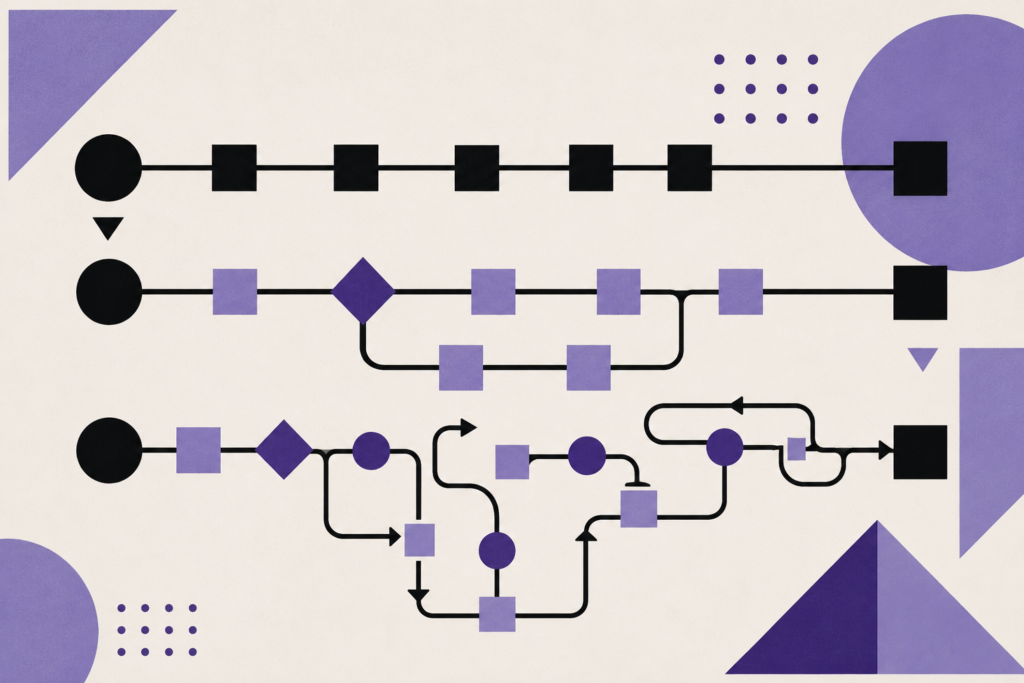
A script or application is a deterministic program for a specific operation: the order of steps and the conditions are written into the code. A workflow is a predefined sequence, or graph, of operations, whose individual nodes are free to call AI. An agent is a system in which the model chooses the next action at runtime based on the current state, and is given a set of tools to do it with.
Picture it as a factory, with a production line running through it.
A script is like a robotic arm sorting parts on the line. A sensor at the station before it measures the dimensions, and if the part is within tolerance, it moves on; if not, the arm removes it. The rules are set in advance, the arm makes no decisions, it only executes what the program gave it. If something the arm wasn’t built for shows up on the belt — a different product, say — it either pulls it off or simply can’t handle it, because it wasn’t set up for it and its program offers no other option.
A workflow is the entire production line. The stations follow each other in a fixed order, and that order was set by the process engineer. Somewhere in the middle of the line is a station staffed by a person with knowledge you can’t hand off to a robot — because some things simply can’t be measured: whether the paint is cracked, or the part is fine and just lying on its side. In our case, that person is the AI. It decides the content of one step, not which step comes next. Even with ten such stations, it’s still a line, because the process engineer — meaning the programmer — laid out the route.
And finally, the agent. An AI agent is the shop floor foreman. It gets a goal — “this order has to be done by tonight” — and, alongside it, boundaries: what it’s allowed to do, which storerooms it has keys to, how much it can spend. What it doesn’t get is a fixed route. It walks the floor, sees what’s missing, goes to the storeroom it has keys to, reorders the operations, calls the workshop it has a phone number for. Every time, it can do it and decide it differently, and you don’t know in advance how. That’s its value, because if you knew how to write down the procedure, you would, and you wouldn’t need a foreman. It’s also its danger: it can’t be audited the way a line can, it sometimes picks a foolish path, and it chases its own goal with blinders on — it might happily take material that another critical order is short on, because as far as it’s concerned, its own order is the only one in the world. So you let it request materials, but you don’t let it sign a multi-million-dollar purchase order.
Tools and properties
An agent isn’t just “AI with access to the company.” Most of the work, and most of the cost, sits in everything that has to be built around it before it can go into production. So let’s pin down three more terms you can’t talk about agents without, and that you’ll keep running into: tools, skills, and properties.
Tools (tools) are any functions the model can use: a database query, a catalog lookup, creating a record, sending an email. The model decides which tool it wants to use and with what parameters; the surrounding program handles the actual execution. In our factory, the tools are the keys to the storeroom, the phone to the neighboring workshop, and the stamp for the goods-issue slip. The foreman can’t do anything it wasn’t given a tool for, and that’s the single most effective safeguard in the whole system: whatever isn’t in the toolset simply doesn’t happen.
The second term is skills (skills). A skill is a packaged procedure — a set of instructions, sometimes with helper scripts, that the agent loads whenever it hits a particular type of task. It isn’t a function to call or a system property, it’s knowledge of “how we do X around here.” In our factory, these are the binders of standard procedures hanging on the workshop wall: the foreman pulls the right one when a job of that type comes in and follows it, instead of working out the procedure from scratch every time.
Around tools and skills sit the properties that determine how the whole thing behaves in production. These are sometimes also called the harness or scaffolding.
Take memory, for instance. That’s the body of information the system carries between the steps of one run, and between separate runs. A foreman who doesn’t remember at ten what he agreed with a colleague at nine is useless; but a foreman who remembers everything since last year isn’t a win either — he gets confused, dragging around information that stopped being true long ago.
Permissions are the difference between “allowed to do it” and “allowed to propose it.” Planning then says whether the procedure is mapped out in advance or worked out step by step, improvised. Error recovery decides what happens when the storeroom is closed: whether the foreman tries another route or stops and asks. Observability is the question of whether it leaves a record of what it did and why, because without one, you can neither debug it nor defend it in an audit. And parallel execution means five such foremen can be walking the floor at once, which speeds things up and, at the same time, opens up new ways for them to steal each other’s materials.
And once there are five of them on the floor, you need orchestration: someone to split up the work, wait for the results, and put them back together. On the shop floor that’s the operations manager; in code it’s either a fixed piece of the program that calls the agents and merges their outputs, or another agent that manages its subordinates itself. The first is predictable and cheap; the second can handle tasks you can’t carve up in advance, and unfortunately you often pay for that by having no one in the system left with the full picture.
More agents also bring a word you’ll hear a lot in this context: verification. Broadly, that’s any checking mechanism — a test, a rule, a control calculation, a human. One option is to have another model assess the output, and a narrower variant of that is to have one agent check another. This helps most where the checker has access to hard data: tests, a database, the original document. Where it doesn’t have that kind of anchor, one model ends up checking another model’s output, and it can be wrong in exactly the same way and for exactly the same reasons. Two foremen from the same school will happily nod along to the same nonsense, because that’s how they were both trained. An extra layer of reasoning doesn’t necessarily dampen errors, it can amplify them. And two agents passing work back and forth to each other are, incidentally, the fastest known way to burn through a token budget: in one documented case, two agents stuck in a loop kept passing work back and forth for eleven days, and the bill stopped at $47,000 [7].
What’s interesting about that list is that it regularly gets passed off as the definition of an agent. It isn’t. Memory, permissions, planning, error recovery, observability, and parallel execution are all architecturally important, but on their own they don’t determine the architecture, and you’ll find them elsewhere too. The robotic arm also has permissions, and it also logs. The line also has planning — it’s just that the process engineer did it, not the line itself.
Not even the presence of a language model tells you anything about the architecture, because today AI shows up at more than one point in the process. Half the market calls a chatbot with a single search call an agent, and in the meantime even classic automation platforms have renamed or repackaged their products as agents. You’ll find an AI agent everywhere you look these days. And that terminology mess is costing customers real money. People pick an architecture based on the label, and then wonder why it keeps breaking, doesn’t do what it’s supposed to, or costs so much.
The practical upshot of that confusion is simple: before you pick a label, pick the simplest thing that solves the task. Anthropic’s Building Effective Agents [1] frames this as a recommendation to add complexity only when it’s needed, noting that for plenty of applications a single well-optimized model call with retrieval and in-context examples is enough. In their framing, a workflow gives you predictability on well-defined tasks, while an agent is the better choice where you need a lot of flexibility and model-driven decision-making.
Which sounds reasonable, right up until you’re staring at an actual, specific task. So let’s try it on ours.
Script vs. AI-assisted workflow vs. AI agent
Let’s go back to Janie and the inbox full of orders. We’ll now solve one task three ways, layer by layer.
But before you reach for any of this, stop and think. Could the email be replaced with a form, a CSV attachment, or a direct integration with your partner’s system? And if not, could an off-the-shelf integration platform (n8n, Make, Zapier) handle it without a single line of code? If not, and most of your customers are reasonable, at least suggest they stop emailing Janie or Pete directly and send orders to one clearly defined address instead. Something like [email protected].
When orders come from a partner’s system in the same template every time, a script is the ideal fit.
Script
Every five minutes, it checks the [email protected] inbox over IMAP, picks up the unread emails, and tries to find in each one what the partner’s system always sends: an order number and line items. If it finds them, it creates the order in the system — via an API, or perhaps by adding a row to a CSV file or a Google Sheet. If it doesn’t (an inquiry came in, a cancellation, or the partner changed their template), the email gets a label or is moved to a folder a salesperson goes through in the morning. Once processed successfully, the email is marked as done, so the same message never gets evaluated twice.
If most of the emails end up in the salesperson’s folder, it’s time to get smarter about this. So we bring in AI. Into a workflow.
AI-assisted workflow
Same route, but instead of matching a fixed template, the email body gets read by a model. You don’t let it comment on the email the way you’re used to from ChatGPT, and you don’t let it draft a reply. You prescribe the structure of what you care about: order number, tax ID, line items, and, as mandatory fields, “this isn’t an order” and “I’m not sure about this one.” Without those last two fields, a model asked about a delivery date would happily invent an order, because the format wouldn’t allow it any other answer. Whatever the model fills in, the workflow treats as material to verify, not as a finished result: another script checks your database and compares item codes against the catalog, verifies the tax ID with a checksum, against the national business registry or against your own client list, and flags any suspicious quantities against thresholds you set in advance. Only once it clears everything does it go into the system on its own; the rest goes to a salesperson, along with the reason it was stopped.
Notice that the model isn’t steering anything here. It returns a structured result, and every step before and after it is fixed in advance. That’s why it’s still a workflow, even with AI sitting inside it.
And notice, too, that there are still a few emails left that are ambiguous. Take the one that says “cancel the last item and send what we ordered back in May.” That’s the ideal candidate for the more expensive tier: an AI agent.
AI agent
The agent gets a goal: “handle this email.” And with it, three tools: it can search your database for the customer’s orders, open their details, and draft a proposed change to write to the system. That’s all it has — it can’t invoice, send anything, or delete anything, so the worst it can do is write a bad draft.
It decides for itself in what order, and how many times, to use its tools. For the email “cancel the last item and send what we ordered back in May,” it will most likely pull up May’s orders first, check the details to see what was ordered then, find the most recent line item, and put together a draft. For a different email, “add two more large sheets in anthracite,” it looks up catalog items named or categorized as “sheet,” finds that there’s only one anthracite variant, RAL 7016, and proposes that.
That freedom is exactly why we only deploy an agent on what’s left over, and also why we wrap it in a protective loop that does three things. First, it returns the result of every tool call to the agent, even a failed one: it gets the error described as information (“no order exists with this number”), not as a program crash, so it can try a different approach. Second, it counts steps and spend — every run has a predefined ceiling on the number of calls, tokens consumed, and cost, and it terminates when that’s exceeded, even if the agent insists it’s almost done. And third, it logs every tool call, including its arguments and result, so any draft can be traced back to exactly the data it came from.
The result isn’t a changed order, it’s a proposed change sitting on the operator’s desk. The “OK” button belongs to the salesperson — and clicking it twice must never create two changes.
AI as author
At the start, I promised one more option. It isn’t a fourth item to add to the previous three, because it answers a different question. Script, workflow, and AI agent are about what makes the decisions while the system is running. This option is about whether you need AI at runtime at all, or whether it’s enough for it to help build the system once.
It works like this: the first email from a new customer is run through the model with two jobs at once: handle this order, and, once I confirm you handled it correctly, write a program that will handle every future one in the same template. The program is tested immediately, and if it produces the same result as the model on that same email, you’re on the right track. At least for this type of order.
But one email isn’t proof. The parser has to earn trust: the next several emails in the same template run through both it and the model in parallel, and only once the results keep matching does the parser take over the shift. From that point on, that partner’s emails go through code: no tokens, no waiting, and the same result every time. The catalog and tax ID checks stay in place either way, because it doesn’t matter who parsed the email. What matters is what goes into the system. And when the partner changes their template, the parser starts failing or disagreeing with the checks, the work goes back to the model, and it writes a new parser.
So you pay once to create the tool, not repeatedly for every response. For tasks that repeat and where only the shape of the input changes, this is the best value you’ll get out of AI.
Why an agent isn’t always the best choice
As you’ve probably gathered by now, a script is great at processing unambiguous input: it’s fast, cheap, and deterministic. An agent, by contrast, can adapt to the situation, but it’s slower, more expensive to run, and not always predictable.
How much more expensive? Anthropic’s piece on its multi-agent research system [2] reports that agentic runs consume roughly four times the tokens of an ordinary conversation on average, and multi-agent architectures around fifteen times. Those numbers come from their own system, not some universal constant, but the mechanism behind them is general: the loop rereads the entire step history every time, so every round carries the context of everything before it. Imagine writing letters to your kid at summer camp, and every envelope has to include every previous letter as well. Your child sends a letter, you reply and enclose their letter, they reply and enclose both previous ones. By the last round, it’s not an envelope anymore, it’s a parcel. And sending things back and forth means latency too: six letters there and six back means twelve trips to the mailbox, and with a model that can easily mean tens of seconds of waiting.
But our letter analogy doesn’t stop there. What happens to those letters if you keep pulling them out, reading them, and folding them back into the envelope? The paper cracks along the folds, someone at home sets a coffee mug on the pile, the whole parcel falls in a puddle on the way to camp. Readability drops with every extra handling. None of that happens to an agent, because information in the context window doesn’t degrade like paper, and the model reads it just as clearly the hundredth time. What goes wrong is something else: a flawed intermediate result becomes part of the working state, and every decision after it treats it as fact. It’s a lot like the telephone game. The first person in line says “send reinforcements, we’re going to advance,” and the fifth hears “send three and fourpence, we’re going to a dance.” Nobody in the chain is lying, and nobody is trying to ruin the game, each of them is just passing on what they think they heard. An agent plays telephone with itself: step three interprets the data slightly differently, step six builds on that reading, step eight flips some piece of information, and step ten treats a negation as a confirmation, so it ends up deciding something that’s only distantly related to the original email anymore.
A simple model shows what that costs in reliability. Take a chain where all ten steps have to succeed and none depends on the others. At 95% success per step, the whole chain comes out at 59%. At 90%, 35%. At 85% — a decent result for a more complex task — 20%. And the other way around: if you want a ten-step process that succeeds 95% of the time, you need roughly 99.5% per step, and for deterministic steps, code gets you there far more reliably than repeated model judgment does. Real runs aren’t this clean: steps aren’t equally hard, some repeat or get skipped, and an agent can recover from a tool error. Treat these numbers as an illustration of how fast small unreliability compounds over the length of a chain. That this effect really shows up in practice is confirmed by measurements of long agent runs [3]: reliability drops as task length grows, and steeply so in some domains.
Two other pieces of research point the same way. The τ-bench benchmark [4] introduced the pass^k metric — how many times an agent succeeds across all k repetitions of the same task: the best agents solved fewer than half their tasks on the first attempt, and in the retail domain they succeeded across all eight repetitions in fewer than a quarter of cases. Success in a demo, then, says almost nothing about success in production. And ReliabilityBench [5] adds that simply rewording a task, or adding routine operational friction like rate limits, is enough to noticeably drop success rates. Both are still limited benchmarks, but they point in the same direction.
There is a defense, and we’ve already met it: verification. As soon as a step has a clearly defined check, can be retried, or can be skipped, simple multiplication stops applying, and the accuracy demanded of any one step drops. That’s why the workflow verifies the tax ID, the catalog, and the quantities, and why the agent ends with a proposal instead of an executed change.
The worst part of all this is the shape the failure takes. An agent doesn’t crash. Step three returns slightly stale data, step six formats it wrong, step nine decides based on bad inputs, and the result looks entirely credible. An error that throws an exception is a gift. An error that returns a nicely formatted, nonsensical answer is a disaster.
In a June 2025 press release [6], Gartner predicted that over 40% of agentic AI projects will be canceled by the end of 2027, due to rising costs, unclear value, and inadequate risk controls. That’s an analyst firm’s forecast, not a measurement, and it rests partly on a poll of their webinar attendees. I don’t read it as a forecast of the end of agents. I read it as a forecast of the end of agents deployed on tasks where someone should have written code instead.
Why (and when) an agent is the best choice
That heading probably just scrambled your brain a little, right? But an agent really can be the best choice. I use five criteria for it. It isn’t a textbook definition, it’s my own decision-making heuristic, and I want as many of them to hold at once as possible.
1. The next step depends on the outcome of an earlier finding
For the email “send what we ordered back in May,” you don’t know how many May orders exist until you look, and only once you know what you find can you decide whether you need another database query, or a question to a human. So the decisions made mid-task depend on data you don’t have before you start. If, on the other hand, the whole procedure can be fixed in advance and the data just fills it in, you don’t need an agent.
2. There are so many possible paths that coding them all in advance is impractical
A small number of variants can be listed out and written as branches in code, and that’s always the better solution there. An agent pays off once the list of variants would be longer and more brittle than the description of the goal itself. I use a flowchart heuristic for this: if you can draw it on a single sheet of paper and no node in it requires judgment over open-ended input, you probably don’t need an agent, and it’s enough to write that flowchart in code. It’s a guideline, not a definition. Even a short flowchart can contain one node that can’t do without judgment, and conversely, plenty of agents have a banal model → tool → model diagram on paper, with the real complexity hidden in how many times, and in what order, it goes around that loop.
3. There’s feedback on the quality of the result
The strongest form of this is machine verification, and it’s also why agents work best in programming: a test either passes or it doesn’t, a compiler either compiles or it doesn’t, and the agent can correct itself on that basis, still mid-run.
But binary verification isn’t the only usable form. For research, triage, or preparing background material, quality can’t be measured by machine, and yet agents still make sense there, because traceability carries the feedback: every claim has a source you can open, a human reads the output, and an error is caught before it causes any damage. So the condition is that a sufficiently good check has to exist, whether automated mid-run or human at the end.
Where this breaks down is work with no check at all. An agent that “optimizes content,” with no one reading or measuring its output, has no way of knowing when it’s actually done, and produces nothing but confidence.
4. The cost of a mistake is bearable and can be bounded
Not “the model won’t make a mistake,” but “when it does, what does it cost, and who notices.” In practice, this means the error can be caught before it causes anything — which is why the agent in our example ends with a proposal, not an executed change — and that even a caught error only costs one person’s time, not a damaged customer relationship or a wrongly issued invoice.
5. The task can bear the cost of an agent
Costs that run several times higher — on the order of four to fifteen times, for published agentic systems [2] — and tens of seconds of latency have to be paid for by something. For internal research twice a day, clearly yes. For an operation that runs thirty thousand times a month? Now you need to pull out the token pricing sheet and a calculator.
How I approach this in practice
The process I use is boring, and it works. I start with a single prompt and a manual run on twenty real cases. Not made-up ones — real ones, including the weird and borderline cases, if I can find any. That gives me a first sense of what the model can handle and where it falls over. Then I turn those twenty cases into an evaluation set. Without one, there’s no way to tell whether a prompt change is an improvement or a regression, and building an agent without evals is like refactoring without tests.
Only then do I write code. First a fixed workflow, because most cases follow one path. I deploy the agent on what’s left — the long tail of exceptions, where the path differs from case to case — and even there, in a mode where it only proposes and never executes, with a human at the end.
When someone comes to me wanting an agent, I ask two things. How will you know the task went well? And what happens if it goes badly and nobody notices until the morning? If there’s no answer to the first question — no test, no human check — and the answer to the second is unpleasant, we don’t build an agent. We build a deterministic process first, one that decides nothing without a check, but records everything.
You might object: if nobody can judge the result anyway, what’s the point of even that? The point is that when it breaks, it breaks predictably. Fixed steps mean the error shows up in a known place, gets found in that specific step’s log, and gets fixed once, for every future run. An agent with unpredictable, unjudgeable output and a different path every time won’t give you that. And over time, those error logs become the feedback that serves as the building blocks for a more expensive, more sophisticated solution. That’s when it starts making sense to talk about an agent.
An AI agent is the most expensive way to automate a process. Sometimes it’s the only way. But usually, it isn’t.
References
[1] ANTHROPIC. Building Effective Agents [online]. Anthropic, 2024 [accessed 2026-08-25]. Available at: https://www.anthropic.com/engineering/building-effective-agents
[2] ANTHROPIC. How We Built Our Multi-Agent Research System [online]. Anthropic, June 2025 [accessed 2026-08-25]. Available at: https://www.anthropic.com/engineering/multi-agent-research-system
[3] KHANAL, Aaditya, TAO, Yangyang, and ZHOU, Junxiu. Beyond pass@1: A Reliability Science Framework for Long-Horizon LLM Agents [online]. arXiv, March 31, 2026 [accessed 2026-08-25]. arXiv:2603.29231. Available at: https://arxiv.org/abs/2603.29231
[4] YAO, Shunyu, SHINN, Noah, RAZAVI, Pedram, and NARASIMHAN, Karthik. τ-bench: A Benchmark for Tool-Agent-User Interaction in Real-World Domains [online]. arXiv, June 17, 2024 [accessed 2026-08-25]. arXiv:2406.12045. Available at: https://doi.org/10.48550/arXiv.2406.12045
[5] GUPTA, Aayush. ReliabilityBench: Evaluating LLM Agent Reliability Under Production-Like Stress Conditions [online]. arXiv, January 3, 2026 [accessed 2026-08-25]. arXiv:2601.06112. Available at: https://arxiv.org/abs/2601.06112
[6] GARTNER, Inc. Gartner Predicts Over 40% of Agentic AI Projects Will Be Canceled by End of 2027 [online]. Gartner, June 25, 2025 [accessed 2026-08-25]. Available at: https://www.gartner.com/en/newsroom/press-releases/2025-06-25-gartner-predicts-over-40-percent-of-agentic-ai-projects-will-be-canceled-by-end-of-2027
[7] KUSIREDDY, Teja. We Spent $47,000 Running AI Agents in Production. Here’s What Nobody Tells You About A2A and MCP [online]. Towards AI, October 16, 2025 [accessed 2026-08-25]. Available at: https://pub.towardsai.net/we-spent-47-000-running-ai-agents-in-production-heres-what-nobody-tells-you-about-a2a-and-mcp-5f845848de33


